product_cards
One product card, or a rail of them.
Things to buy, shown as things to buy. product_cards gives each item a real image, a price in tabular figures and one optional badge, the reason this card is worth a second look.
A single item renders as one card on the left. Two or more become a horizontal rail, all the height of the tallest card, that starts on the thread's own left edge.
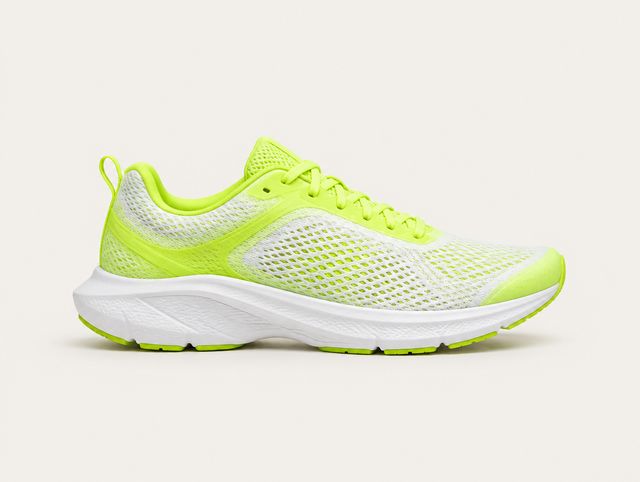


Re-rendered in the browser from the SDK’s own scales. Not a screenshot.
Rendered natively by the Flutter SDK and the Web SDK, both since 0.1.0.
When not to use it
Do not use it for order history or anything else where the picture is incidental. item_list is denser and reads faster.
Do not use it to compare tiers of a subscription, which is plan_comparison, and do not use it as a photo gallery of one product, which is media_gallery.
Props
Every block also carries type and a required fallback_text of 1 to 300 characters.
| Prop | Type | Required | Constraints |
|---|---|---|---|
items | array | Yes | 1 to 10 entries. |
items[].title | string | Yes | 1 to 120 characters. |
items[].subtitle | string | No | Up to 200 characters. |
items[].price | string | No | Up to 30 characters. Formatted by you, including the currency symbol. |
items[].image_url | string | No | https only. |
items[].badge | string | No | Up to 30 characters. This block's one accent mark. |
items[].rating | number | No | 0 to 5. Drawn as stars. A rating goes here as a number, not into badge as text. |
items[].rating_count | integer | No | 0 to 100,000,000. How many ratings rating averages. Drawn with the stars. |
items[].action | action | No | { kind: "reply", text } or { kind: "open_url", url }. See Actions. Omit it and the card is not tappable. |
On the wire
{
  "id": "blk_04",
  "type": "product_cards",
  "fallback_text": "Three running shoes under $150.",
  "props": {
    "items": [
      {
        "title": "Aero Glide 2",
        "subtitle": "Road, neutral",
        "price": "$129",
        "badge": "Best seller",
        "image_url": "https://cdn.example.com/aero-glide-2.jpg",
        "action": {
          "kind": "reply",
          "text": "Add Aero Glide 2 in size 43"
        }
      },
      {
        "title": "Court Low",
        "subtitle": "Everyday, leather",
        "price": "$95",
        "image_url": "https://cdn.example.com/court-low.jpg",
        "action": {
          "kind": "reply",
          "text": "Add Court Low in size 42"
        }
      },
      {
        "title": "Trail Circuit",
        "subtitle": "Trail, waterproof",
        "price": "$149",
        "image_url": "https://cdn.example.com/trail-circuit.jpg"
      }
    ]
  }
}
Interaction
A card with an action presses and announces its title, subtitle, badge and price as one label. Cards without one are content. Legal kinds are reply and open_url. Both execute: open_url opens the page in an in-app browser, or goes to your RendelConfig.onOpenUrl when you set one. https only.
The rail scrolls horizontally; it does not paginate and it has no arrows, because on a phone the cut-off card at the right edge is the affordance.
States
| State | What the SDK draws |
|---|---|
| Loading | Two card-shaped placeholders in a rail at the real card width. |
| Empty | An empty items array renders fallback_text bare, without a plate, because this block carries no enclosure of its own. |
| Image missing | The image slot holds a sunk rectangle with a broken-image glyph; the rest of the card renders normally. |
Accessibility
fallback_text should name the set rather than list it: "Three running shoes under $150." Prices are read from each card's own label.